How to Integrate Your Hashnode Blog With Netlify.

Well if you are like me who has his / her portfolio hosted at Netlify and then added a custom Domain from some domain provider say namecheap and now looking for a way to integrate Hashnode blog as a subdomain to their Domain. My friend, you stumbled upon the right blog.
Well without wasting more time let's get started from the beginning.
Setting up your Hashnode blog.
Goto Hashnode and signup if not already.
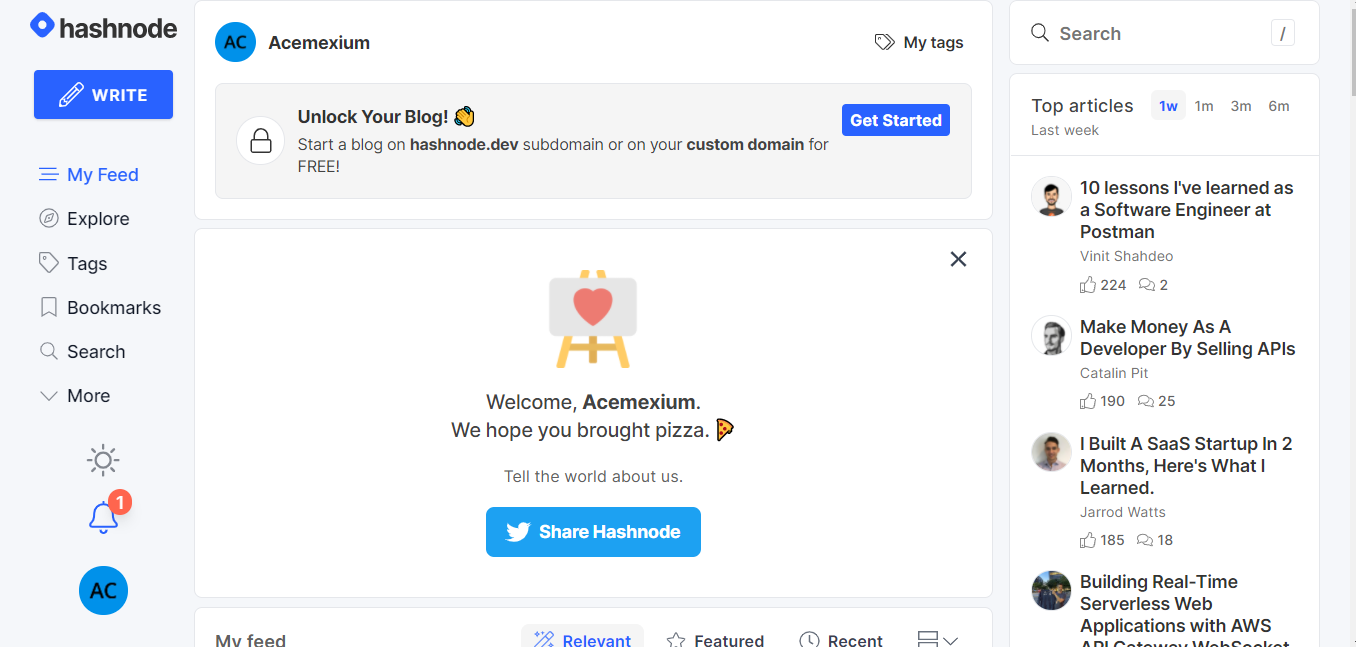
You will be seeing something like the above image now all you have to do is set up your blog, for that click on Get Started.
Setting up a new custom domain with Hashnode.
Enter the basic info like what you wanted to call your blog for me it is Ashish's Talk . You can choose whatever you want.
Now after clicking next you will be seeing something like below
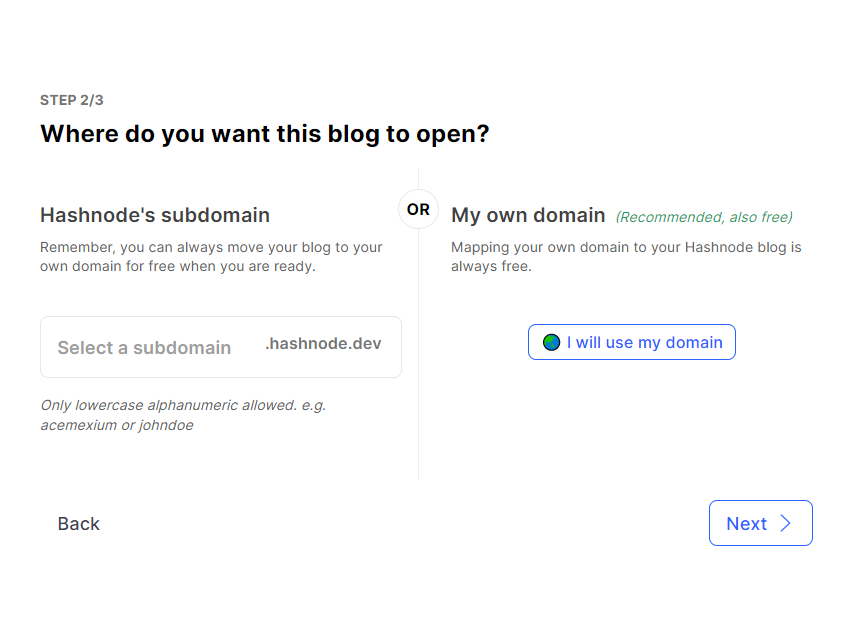
select the I will use my domain and click on next.
Then fill up your domain name as blog.yourdomainname in my case it is blog.theashishmaurya.me
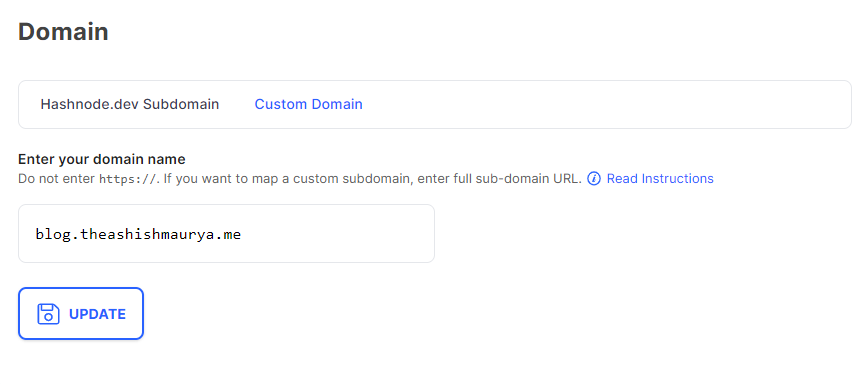
to read more on the domain mapping hasnode domain mapping
Now you are all set for now on the Hashnode side.
Setting up your Netlify for Hashnode blog
Goto the Netflify and open your deployed website setting and navigate to Domain settings.
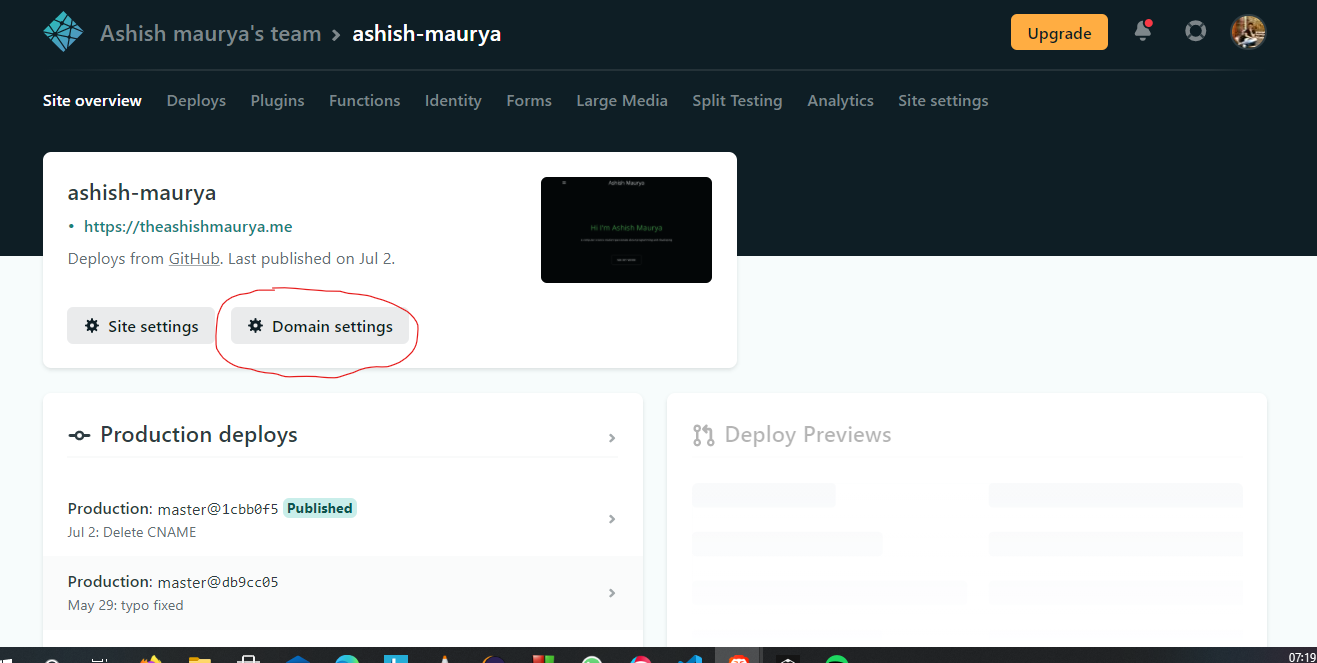
Now go to your custom domains and click on options and select Goto DNS panel.
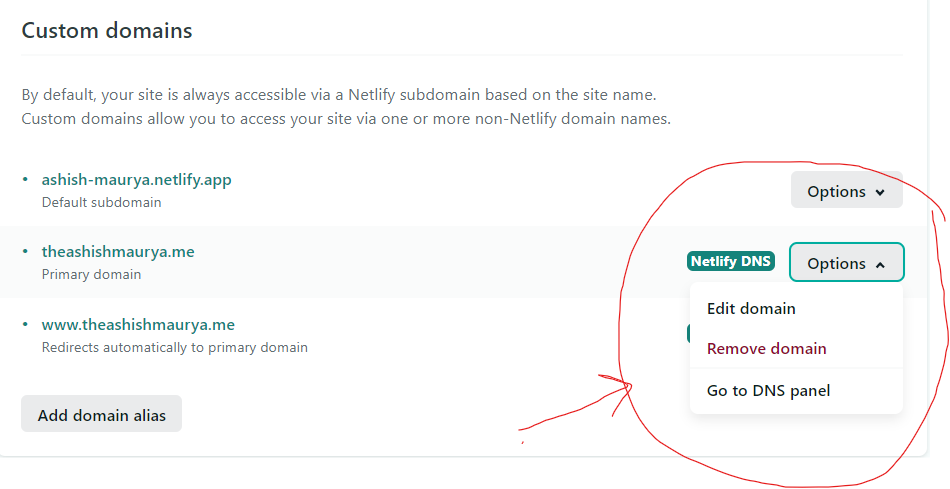
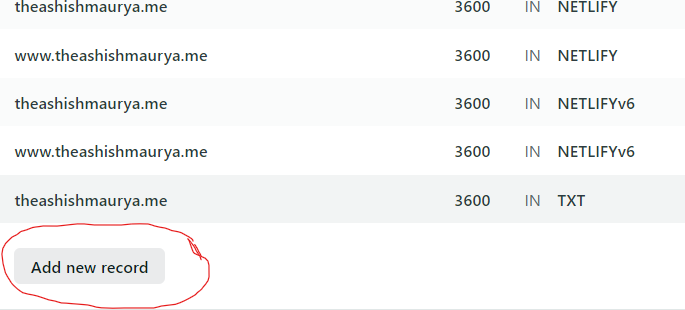
Now After that add a new Record by clicking on Add new record
After that fill in the details as following and save them.
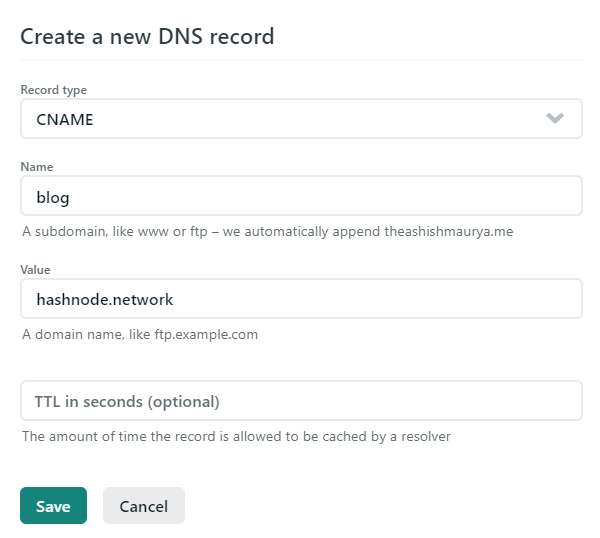
Once you do that after some time Hashnode blog will automatically be mapped to your blog.yourcustomdomain.
Yaay now you are done wait for some time to get everything in place it usually takes less than 2 hours, meanwhile give me Follow.
If you like the article and learned something follow me on Instagram and LinkedIn I am constantly providing valuable content for viewers.
LinkedIn :- https://www.linkedin.com/in/ashish-maurya-1a2099152/
Instagram :- https://www.instagram.com/theashishmaurya/
About the author
I am a developer from India with a good eye for frontend logic and design. I am also well acquainted with the backend and business logic so that's add to my ability to create a good frontend while making it easily integratable with backend.
Comments
Join the discussionHey Ashish, thanks for the useful blog. This works well for me, except after the setup my blog.domain.com is only working with HTTP and not HTTPS. Any idea? I am also using Netlify.
Hey Ashish! First off, thanks for this blog, it really is helpful for a new hashnode user like myself. I've got one question though, although my current portfolio is hosted at Netlify, I'm currently working on a newer version of my portfolio that I'll deploy it on Vercel. How is it possible to do the same thing you did in this blogpost but instead of using Netlify that I could use Vercel?
Yeah, you can do the exact same in the Vercel too. Connect to me on Twitter if you are stuck into some problem while setting up your Vercel with Hashnode.
Oh okay, I actually didn't get to that point yet, as I'm still working on the design - then gonna move to Next for dev. But when I get to the deployment, if I get stuck to integrate hashnode, I'll contact you. Thanks man 🙏 Ashish maurya
Thanks Ashish maurya for the simple and useful article!
You welcome buddy i am glad it helped.
I don't know about this. Thank You! 🙂
Hey Neelesh Singh I am glad the article been helpful.
How I can map that domain which I purchased from somewhere... With netlify and hashnode
Hey, buddy all you have to do is map the nameservers of netlify to your domain provider. Neelesh Singh. Let me know which domain provider you use so that I can help you more.
Ashish maurya Google domain
Really insightful and straight to the point, everything I need in a minimal unopinionated package, the writing style and information delivery is perfect! Really love the Article itself too, I can now create my very own netlify / hashnode blog. Thanks a ton!!
Thank you very much.