# Introducing Mapify - Your solution to all your Node-based content
Hello guys,
I always have been a guy who loved to study things in a structured way, before learning anything new I always search for roadmaps and flowcharts for learning so that I have a clear way while learning something new.
### 💡 Idea
It is a place where people can easily create roadmaps and share them as a post, where other people can see them and vote if they like. This will give new learners a ton of options to choose from and also give creators a way to get their roadmaps reviewed by other people.
## ⚡ That's where Mapify comes into the Play
[Mapify](https://mapify.vercel.app) is an open-source solution for creating Node-based content. Which is more developer-friendly and gives a way to share your ideas with others through `Embeddable` links or as a `Post`.
Here is a small demo of the [Mapify](https://mapify.vercel.app).
If you don't really prefer videos here is a detailed walkthrough of the app.
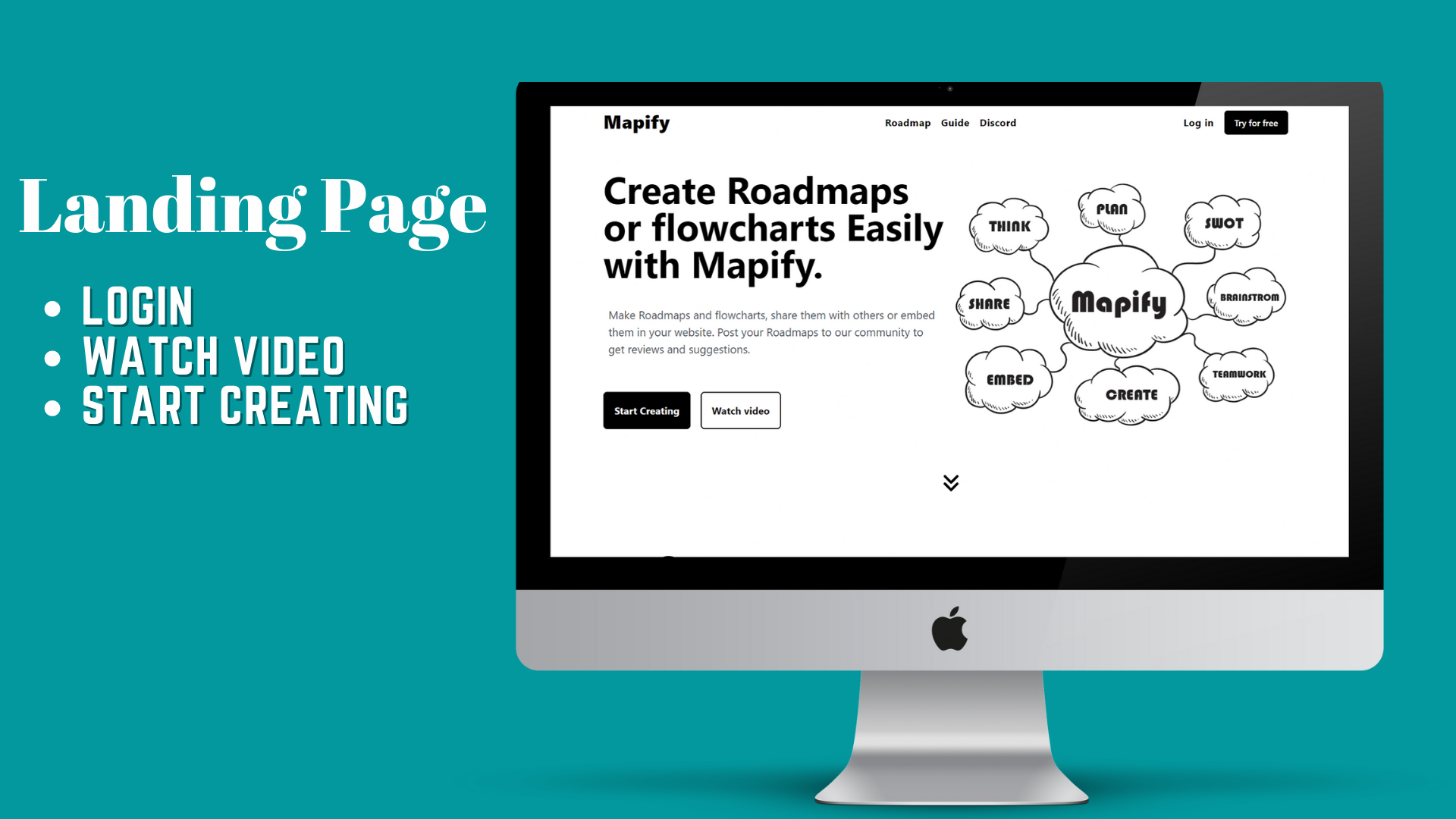
* Below is our landing page with options of `Start Creating`, `Watch Video` or `Login`, it also has three Public pages which are available to non-authenticated users too.
** Roadmap (for Top Roadmap) **
** Guide (for a guide of the Mapify)**
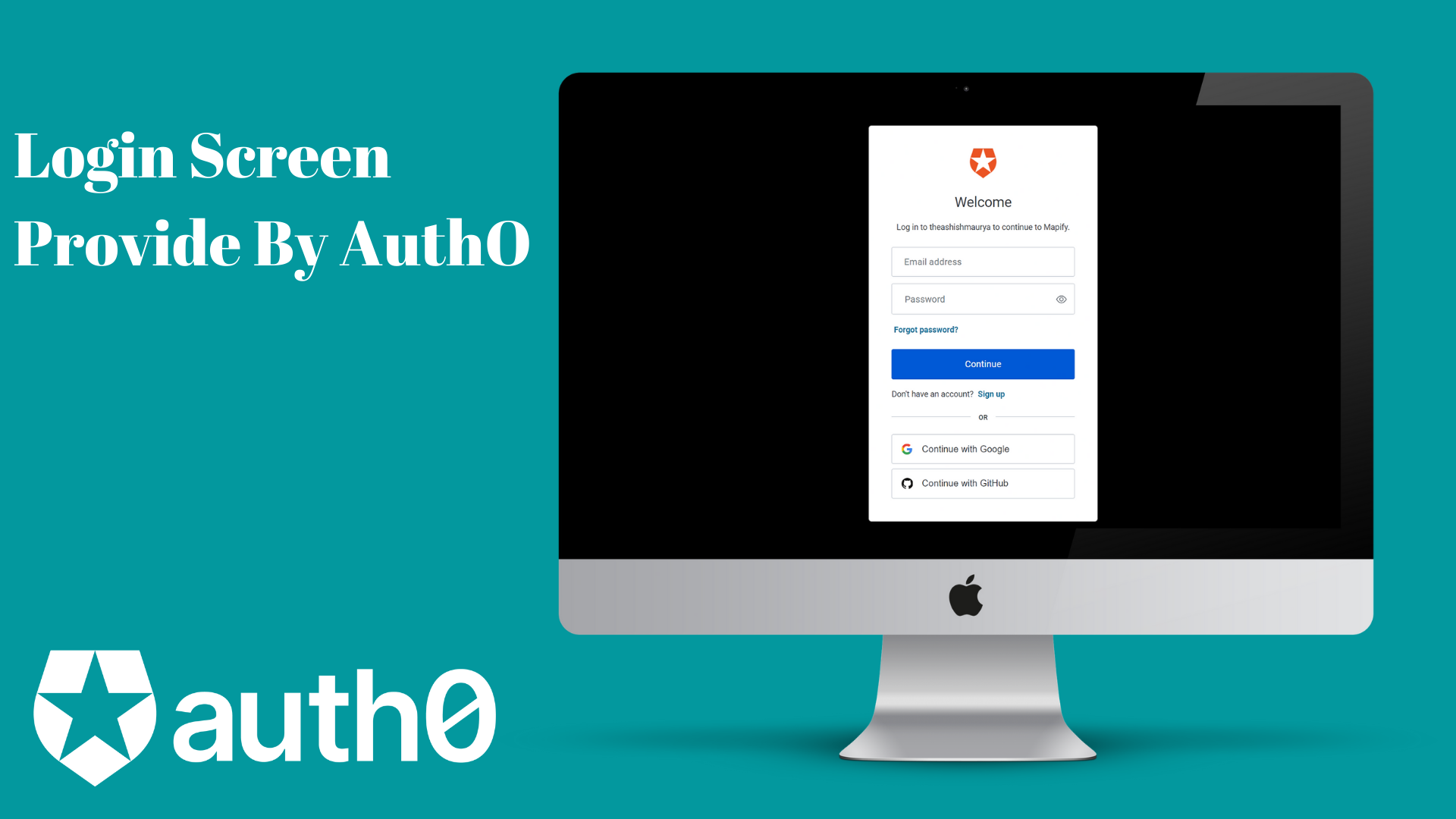
* Authentication Provided By Auth0.
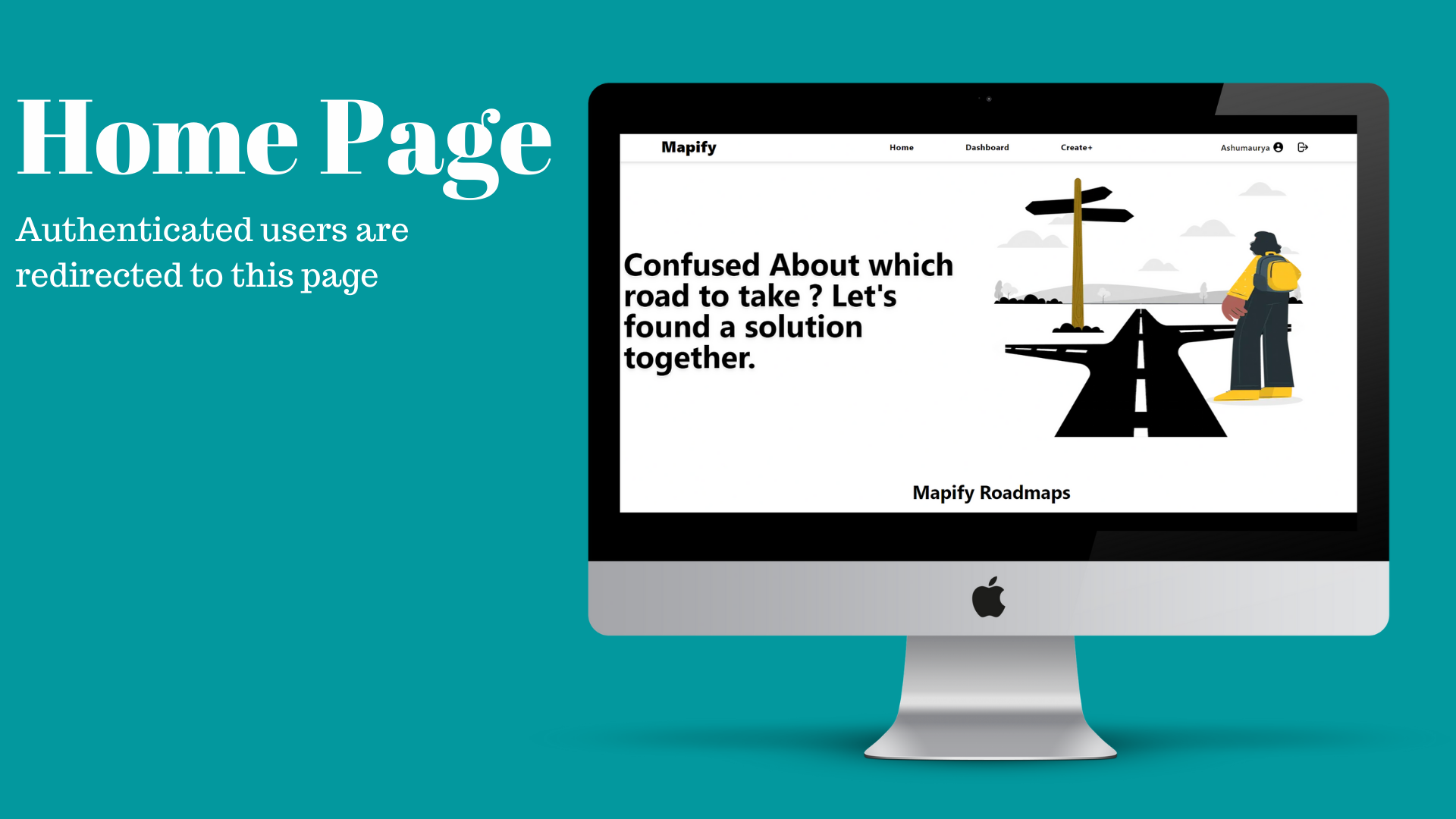
* Home page is where authenticated users are redirected to, it also consists of the recent public posts.
* Create Page which will be shown after clicking on `Create+` page.
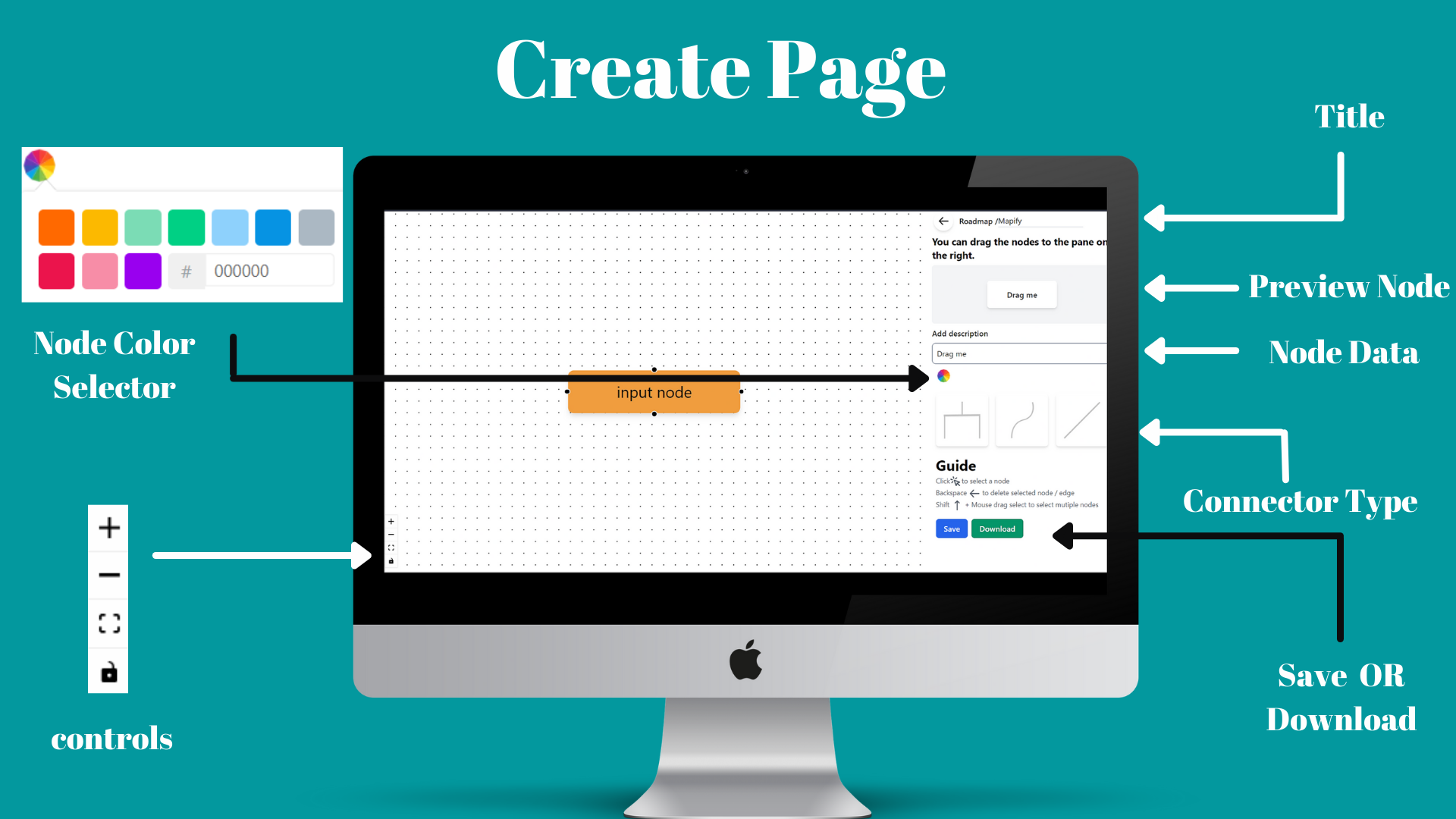
* Clicking on any node you can edit the selected node in the sidebar of Create Page.
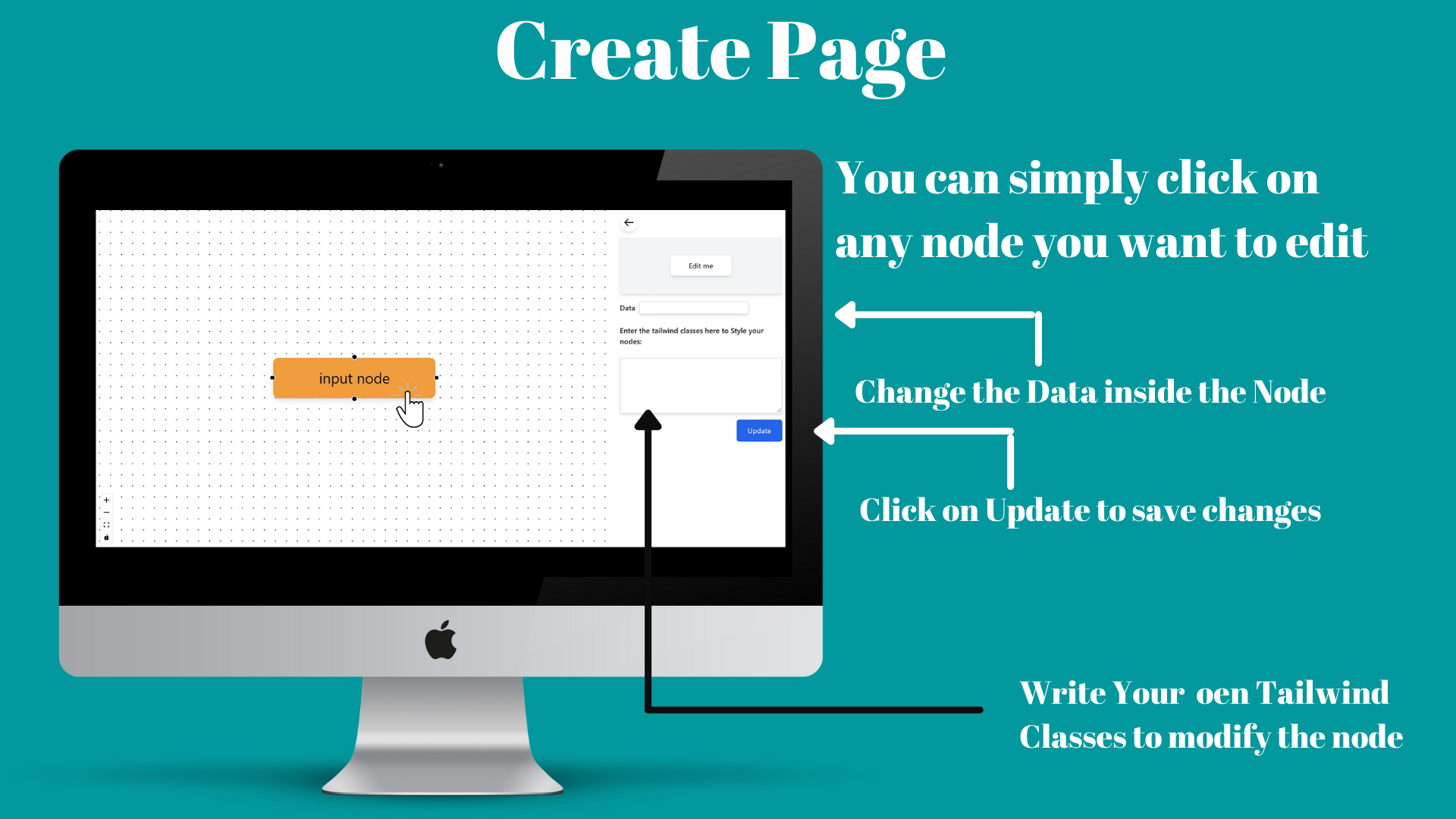
* After clicking on `Save` in `Create page` you can go back to `Home page`.
* While on `Home` click on your username on the right side on `Navbar`. Which will redirect you to the `Profile page`.
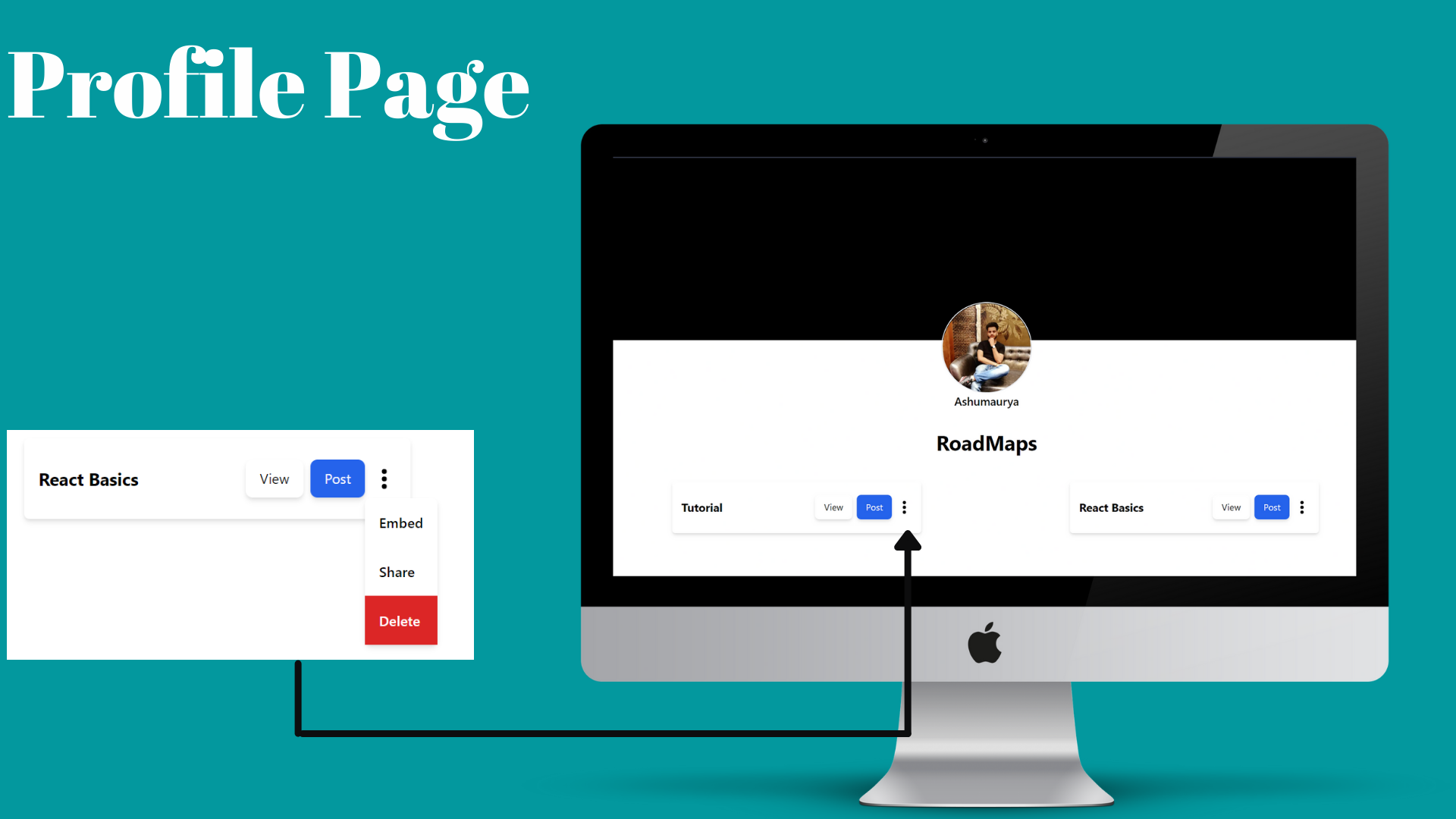
here all your saved roadmaps are drafted and your can-do following actions with them.
1. View and edit them.
2. Post them.
3. Delete them.
4. Embed/share them.
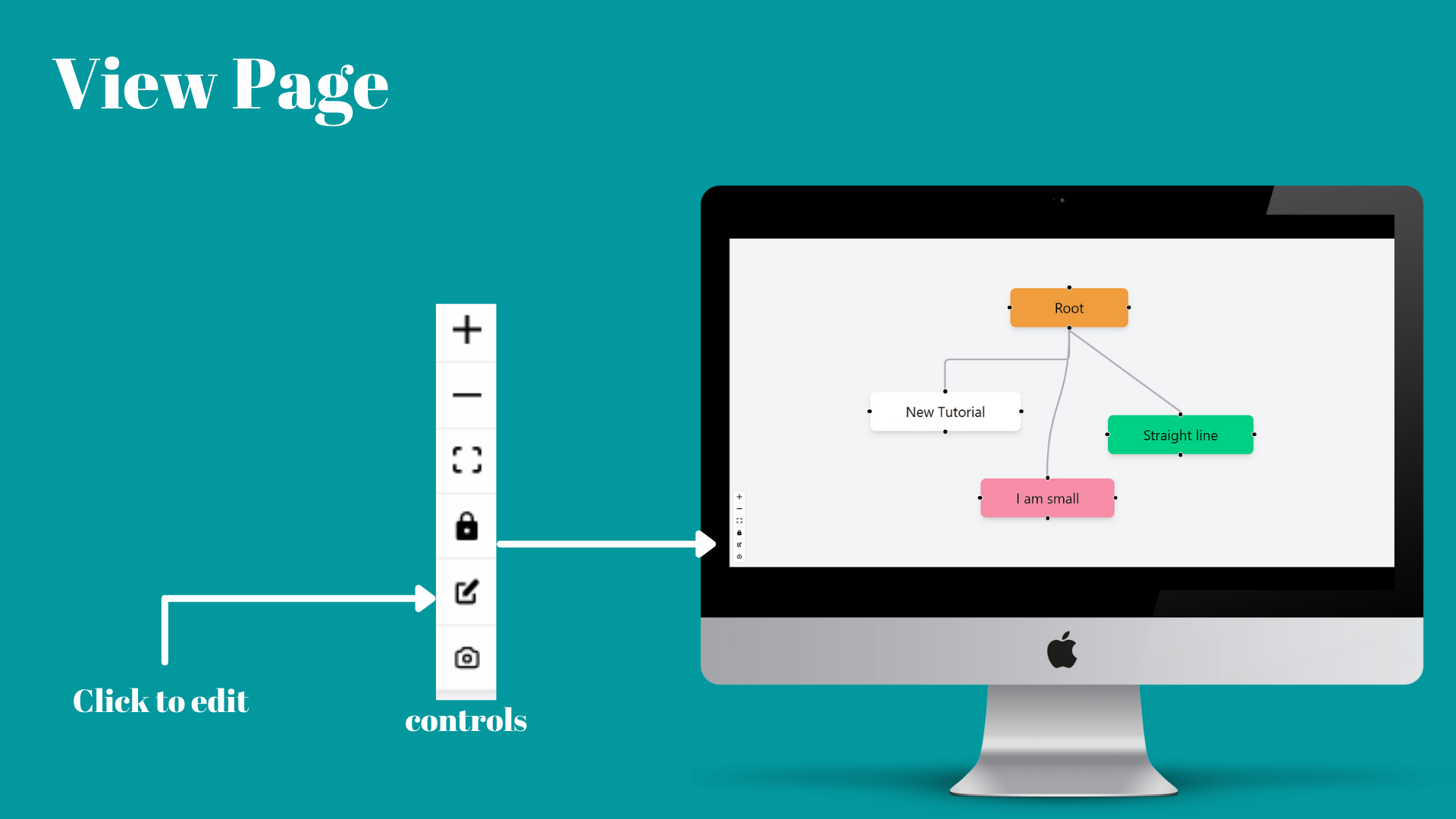
To Edit a doc, click on view in `Profile` then on `View page` click on `edit icon` to edit that doc.
* `Home page` consists of all the Public posts from all the users.
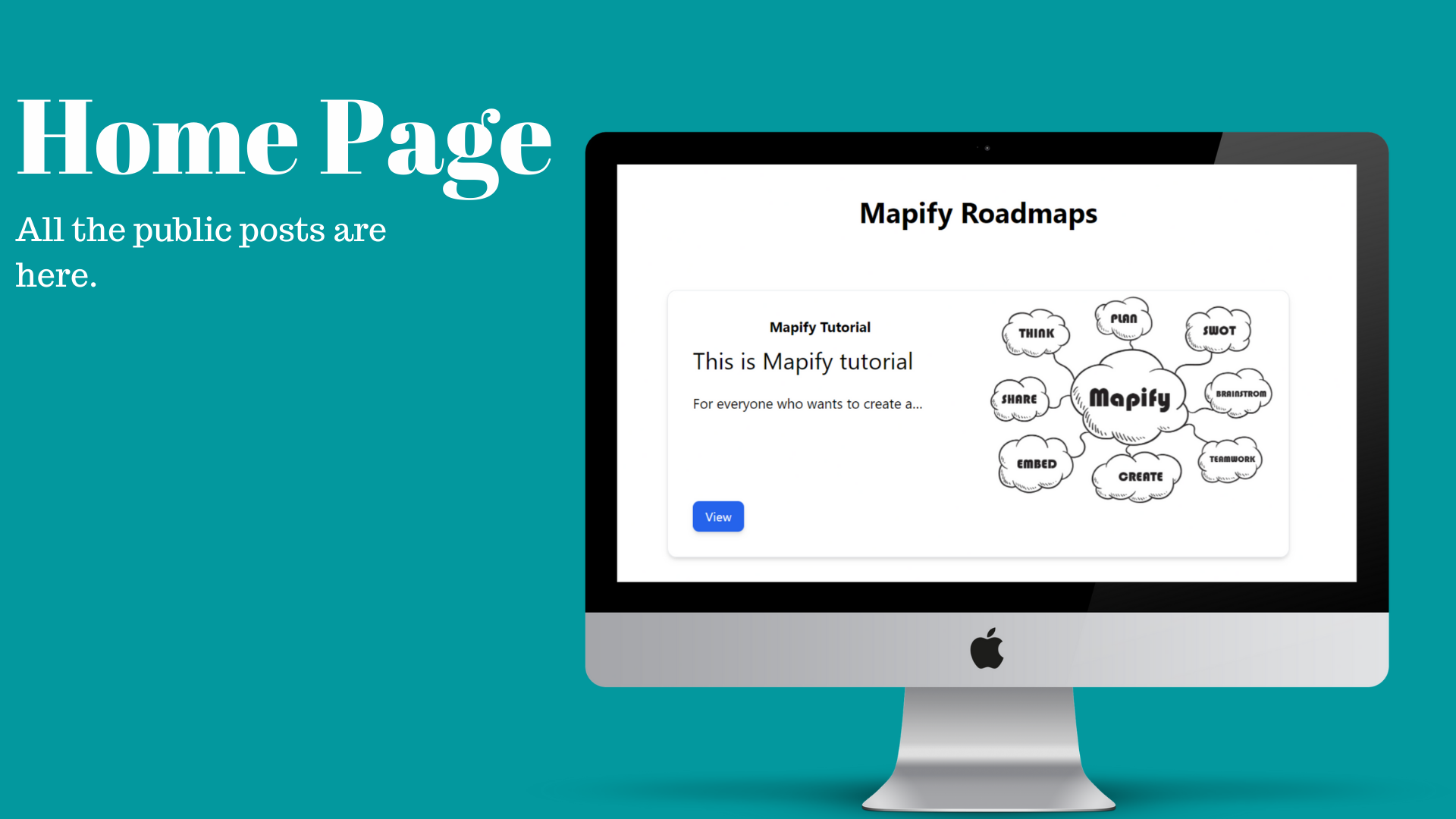
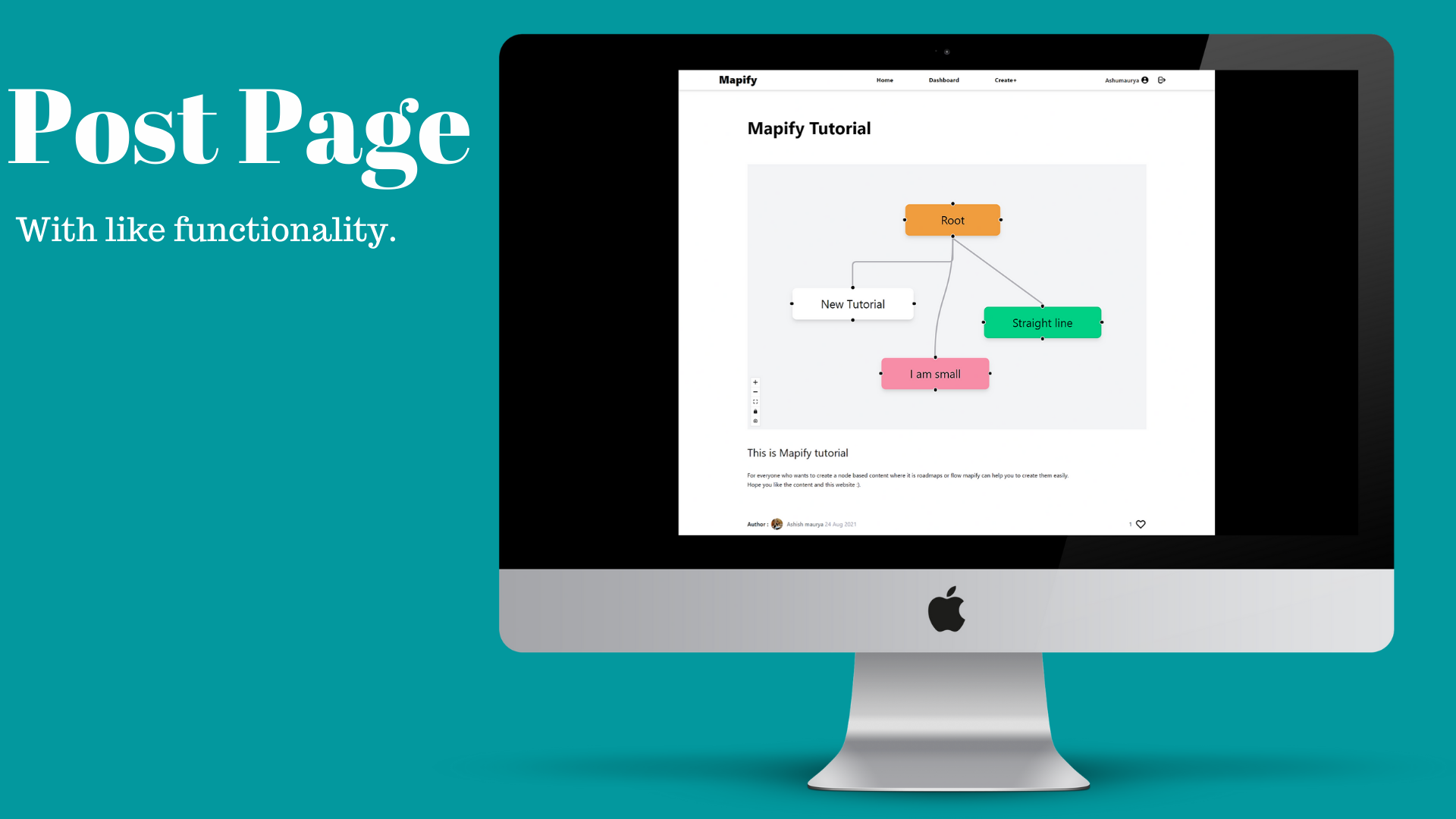
* On Clicking on `View` in any post users are directed to `Post Page`, where they can `view` the doc that the author of the post has created and `read` the description and also `like` them if they want.
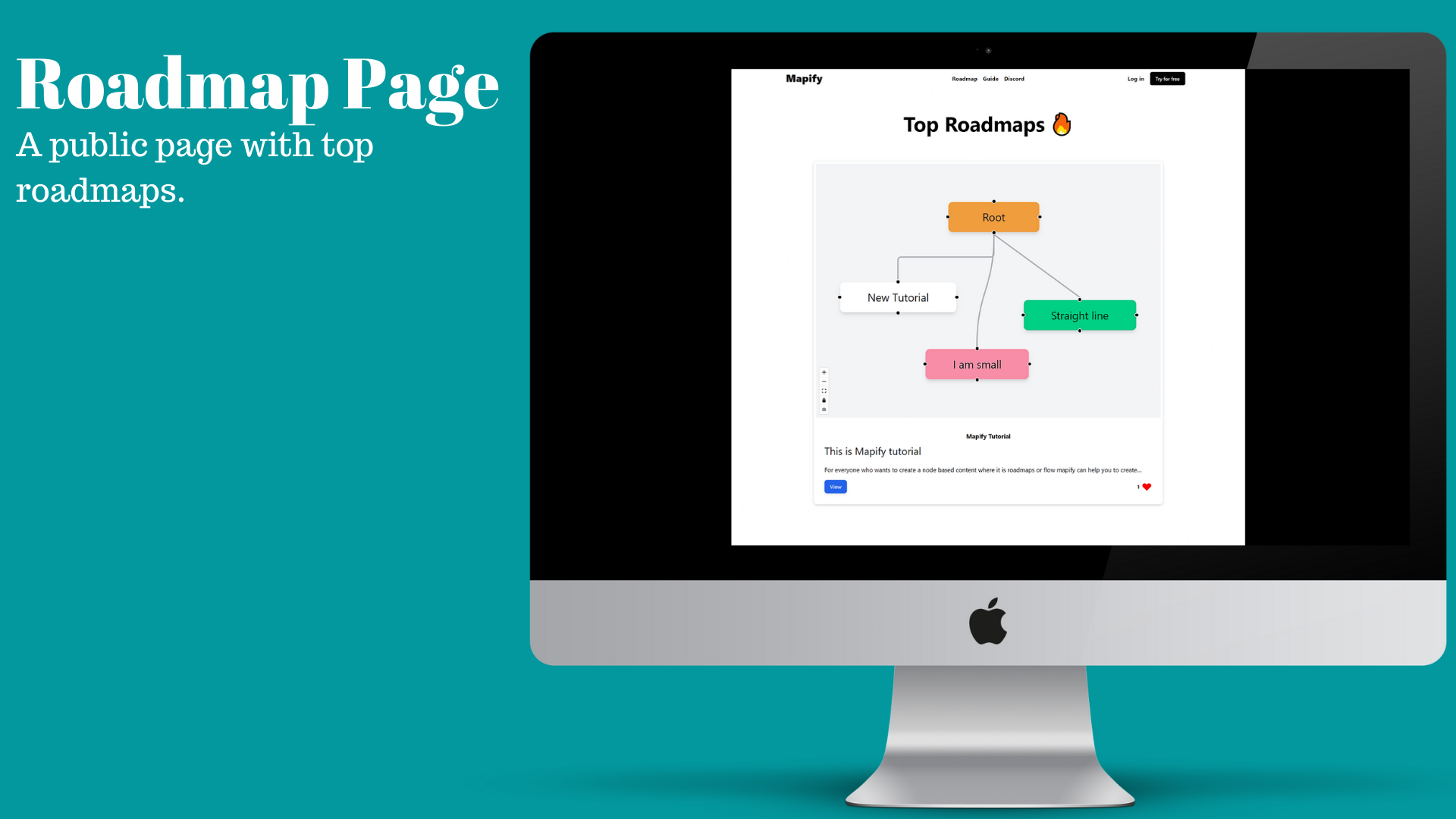
* I have also created a public page where visitors can see top roadmaps or docs which are filtered according to the like on the post.
### Some out of Box features.
Note: Below are .gif files please wait while they get loaded.
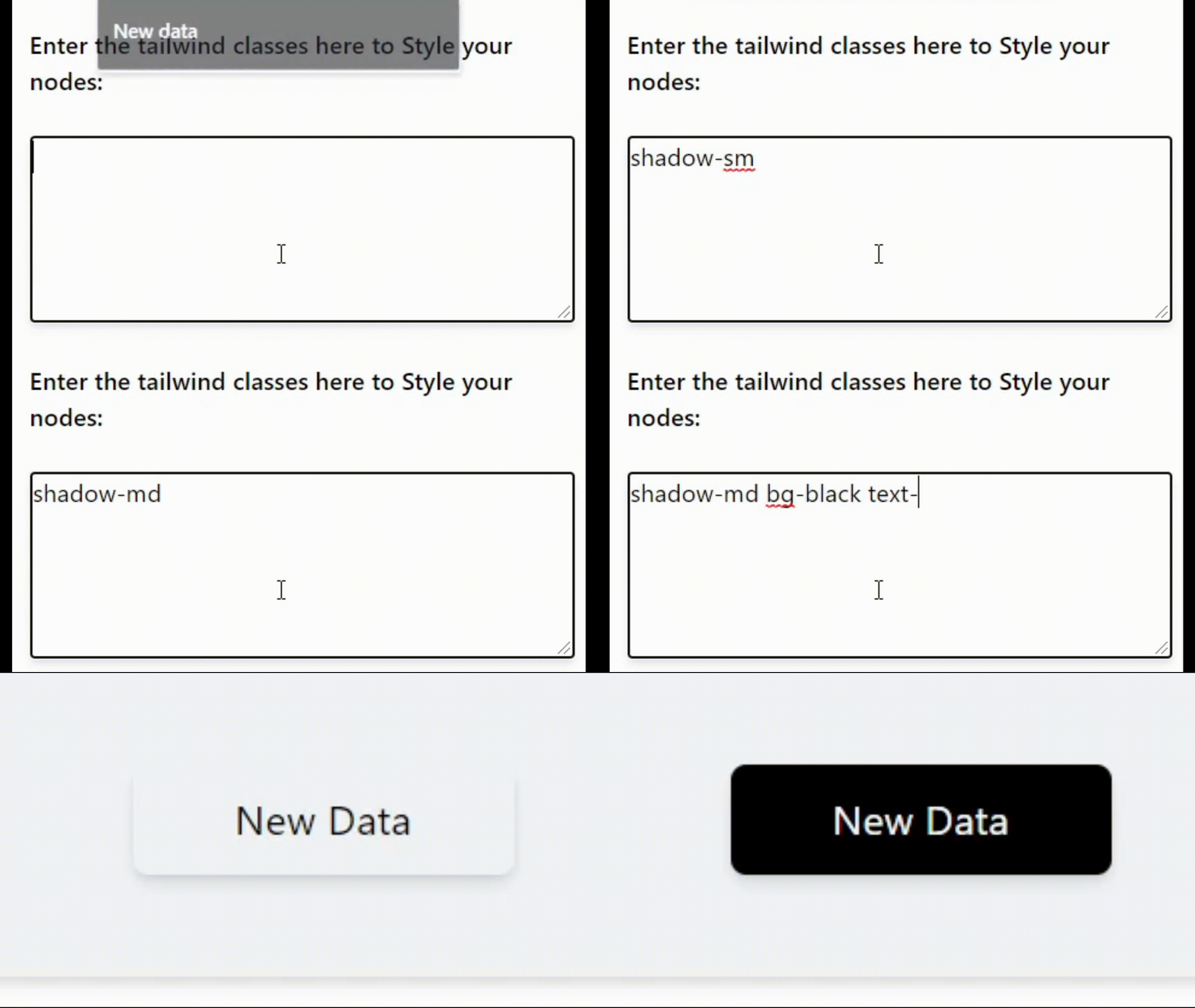
- ** Using tailwind classes to customize the design of your node. **
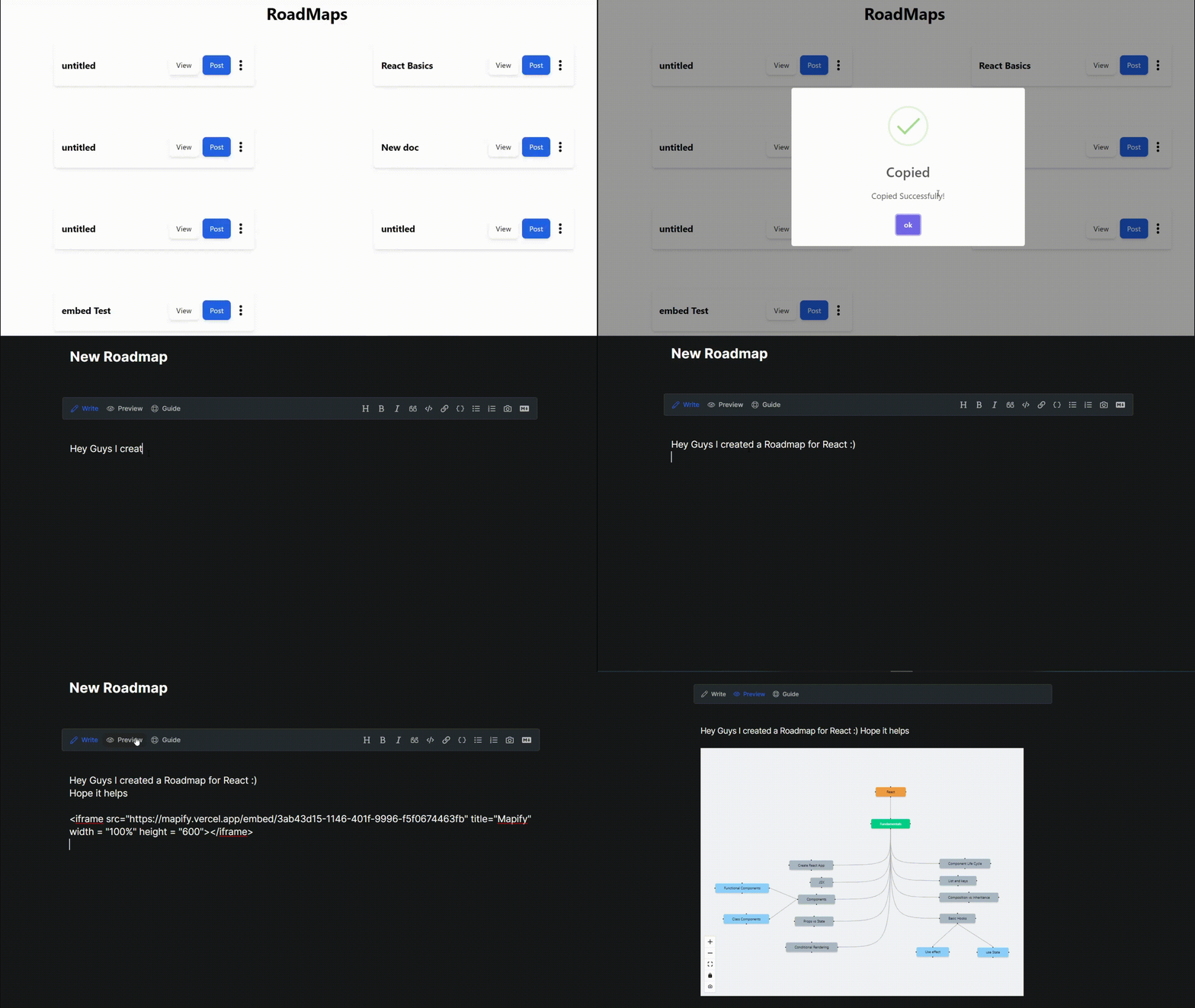
- ** Embedding Directly Into Blogs **
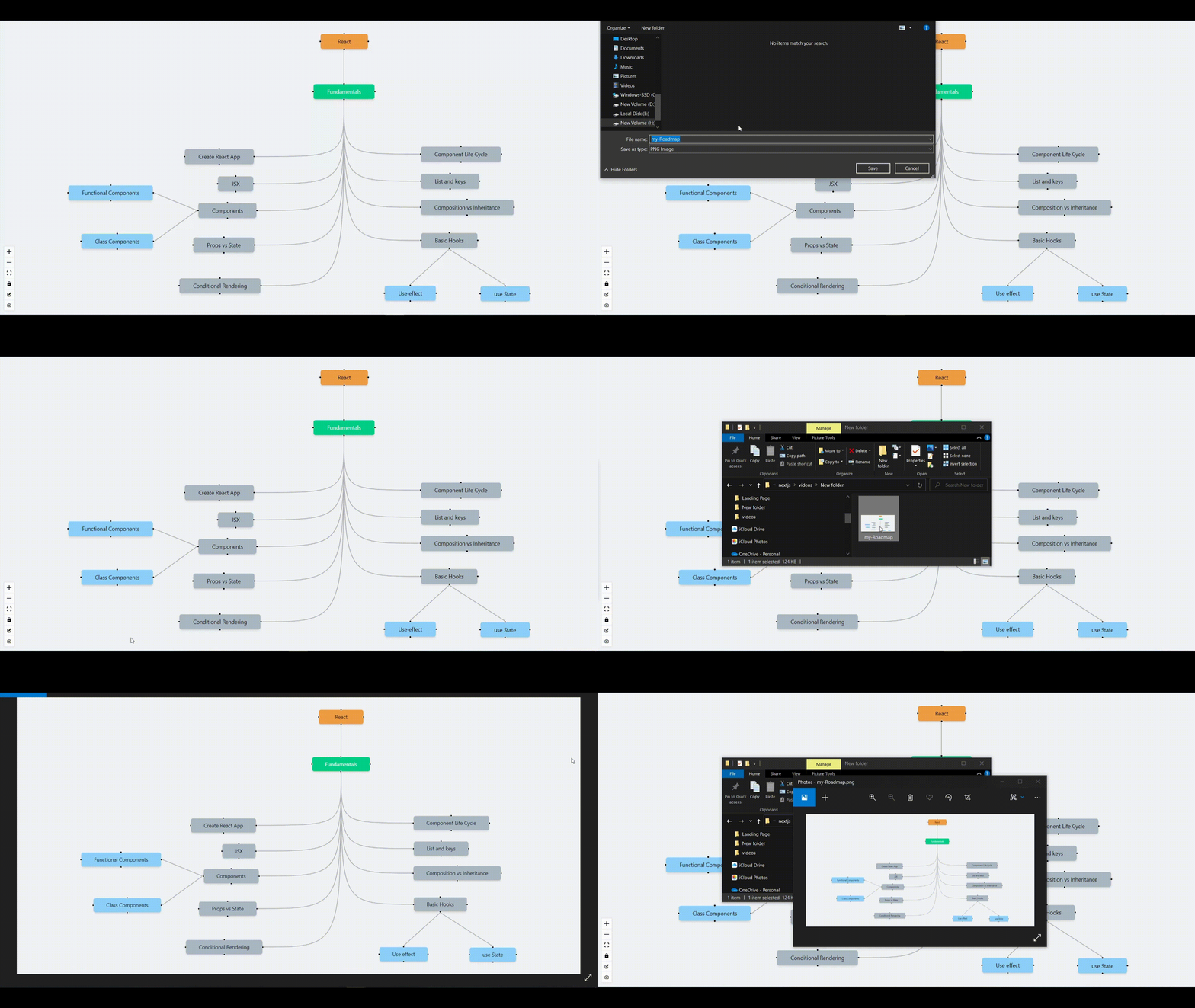
- ** Downloading Any doc directly into your local **
## 📚 TechStack Used
#### Framework and Services
- [NextJS](https://nextjs.org/) - for Frontend
- [Firebase](https://firebase.google.com/) - for handling backend (BAAS)
- [Auth0](https://auth0.com/) - for Authentication. (IAAS)
- [Tailwind CSS](https://tailwindcss.com/) - for styling the website.
#### Libraries
- [ReactFlow](https://reactflow.dev/) - for creating and handling Nodes.
- [HtmltoImage](https://www.npmjs.com/package/html-to-image) - for handling Downloading of the doc.
- [SweetAlert2](https://sweetalert2.github.io/) - for creating a styled alert box.
- [ReactColor](https://casesandberg.github.io/react-color/) - for handling color selection while creating a node.
- [ReactQuill](https://www.npmjs.com/package/react-quill) - for providing rich text editor while posting.
## 🔨 How I Built Mappify
Well, I always wanted to learn Nextjs and it seemed like a nice opportunity to pick up this tech and start creating something. So let's start it there the first thing I did was setting up Nextjs with Tailwind CSS and after that, I integrated the Auth0 which was quite easy.
Now comes the hard part the whole app is based around Reactflow and getting it to work as I wanted was not an easy task but after going through Reactflow docs multiple times I found everything is wanted.
After doing this I quickly set up the Firebase as I have already worked with firebase, it wasn't much of a problem but the tricky part was saving the nodes to the server and then retrieving them exactly as they were saved. Well, I know it sounded easy just save the nodes and data and restore it, but it is not that easy actually if you just save the data and restore it the data will be restored but the restored data will get deformed after trying multiple times and failing I thought its time to leave this project and find something else, but then one night re-read the documentation of Reactflow and found a way to save the state, not just the data, and then restore the state instead of restoring just the data.
The above method works and I were on cloud9 tbh, anyway after that it was easy I created the Profile page where I retrieved the saved docs corresponding to the user and shown them to the user.
Then I wrote some more code and created multiple pages as you have already seen above.
#### Code Maintainability and Readability
- for code Maintainability and Readability I have used Eslint + Prettier.
## 🚀 Deploying
- The whole app is deployed on `Vercel`
### 🌐 Links and resources
Live demo - [Mappify](https://mapify.vercel.app)
Github Repository link - [GitHub-Mapify](https://github.com/ashumaurya/mapify)
Connect to me on Instagram - [@theashishmaurya](https://www.instagram.com/theashishmaurya/)
## 🤖 Future Possibilities
- Adding Notes feature
- Implementing real-time working with other people (Using web sockets maybe or similar technologies)
- Adding More types of nodes.
This is all for this submission Blog. Hope Everyone doing their best.